Getting started with Kove.
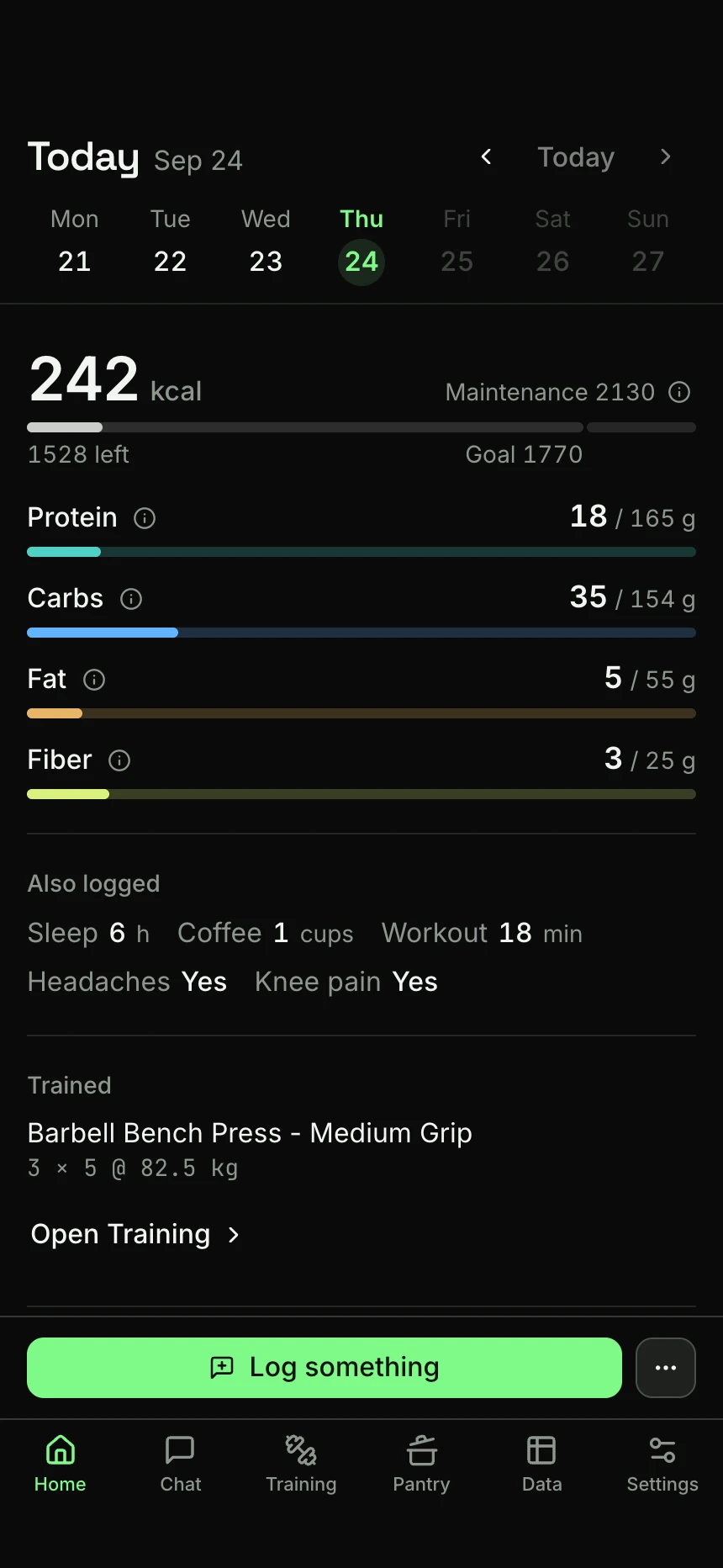
Welcome to your personal health journal. Here's what it looks like on your phone.

Install the app from your browser.
Kove currently installs as a web app (a PWA) from your browser, not from an app store. On an iPhone, do it in this order:
- Open app.kovejournal.com in Safari, Chrome or Firefox.
- Tap Share, then “Add to Home Screen”.
- Open Kove from the new icon and continue there.
You can also keep using Kove in the browser, on your phone or on a computer.
Just chat, no forms.
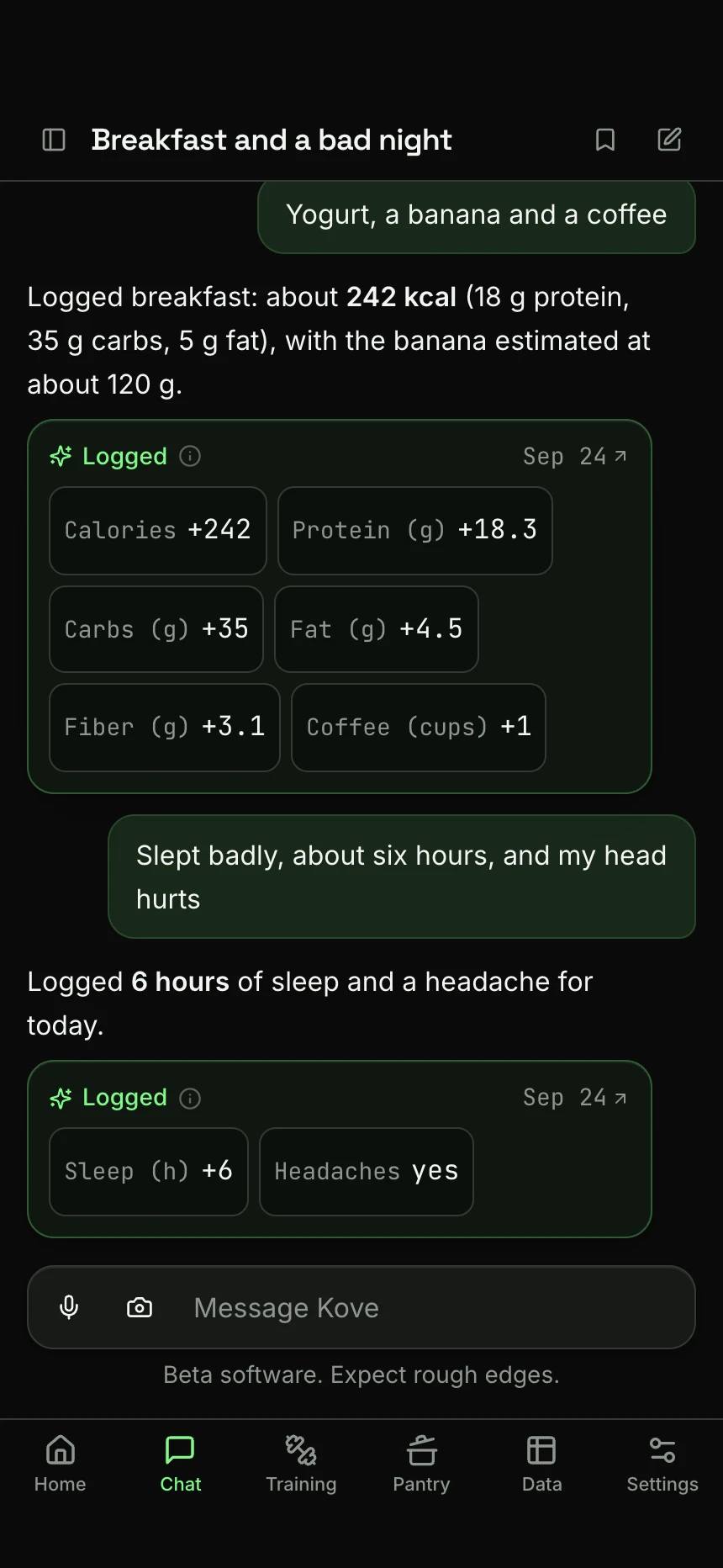
Tell Kove what you had the way you would tell a person. It works out the numbers, says when it is guessing, and any amount you state yourself wins.
Every figure lands on your day, where you can correct it. You can type, dictate or photograph a plate, and for what you have every day a one-tap shortcut is quicker still.
Try this:
Had a Greek yogurt and a banana for breakfast, and a coffee.
Create a quick-add template for when I drink one coffee.
Save a food or recipe once, then just name it.
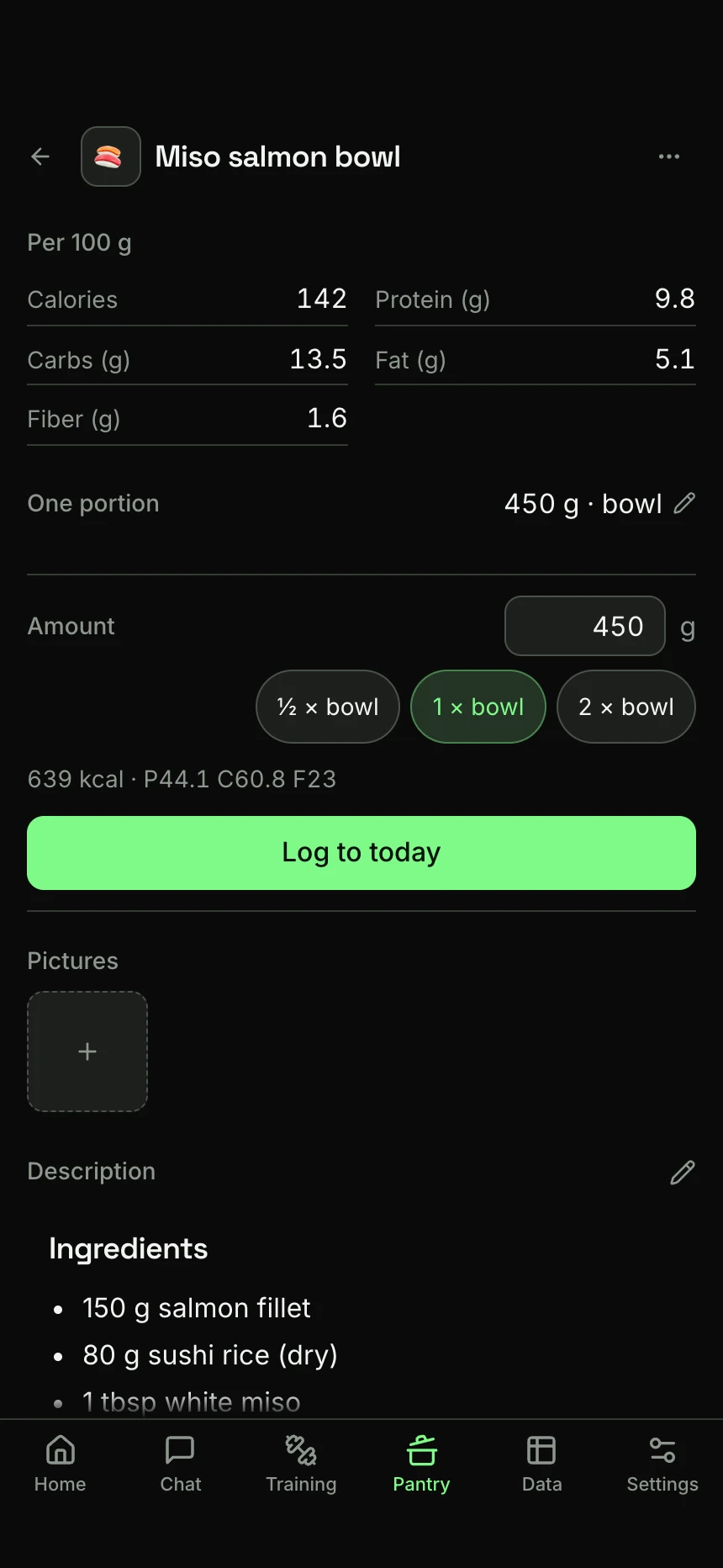
Photograph a nutrition label, describe a dish you make often, or ask Kove for a recipe, and tell it to save it. The figures go into the Pantry tab, per 100 g, with the portion you usually eat.
From then on, mention that food in chat and Kove logs it from those figures instead of estimating it again. “Had my yogurt” is enough, and if you weighed it, say how much.
Open a food to fix a figure, add a picture, write down how you make it, or file it in a collection. You can log it from there too, by typing an amount.
Try this:
Save my porridge: 50 g oats, 200 ml milk and a teaspoon of honey.
Had my porridge for breakfast.
It holds more than food.
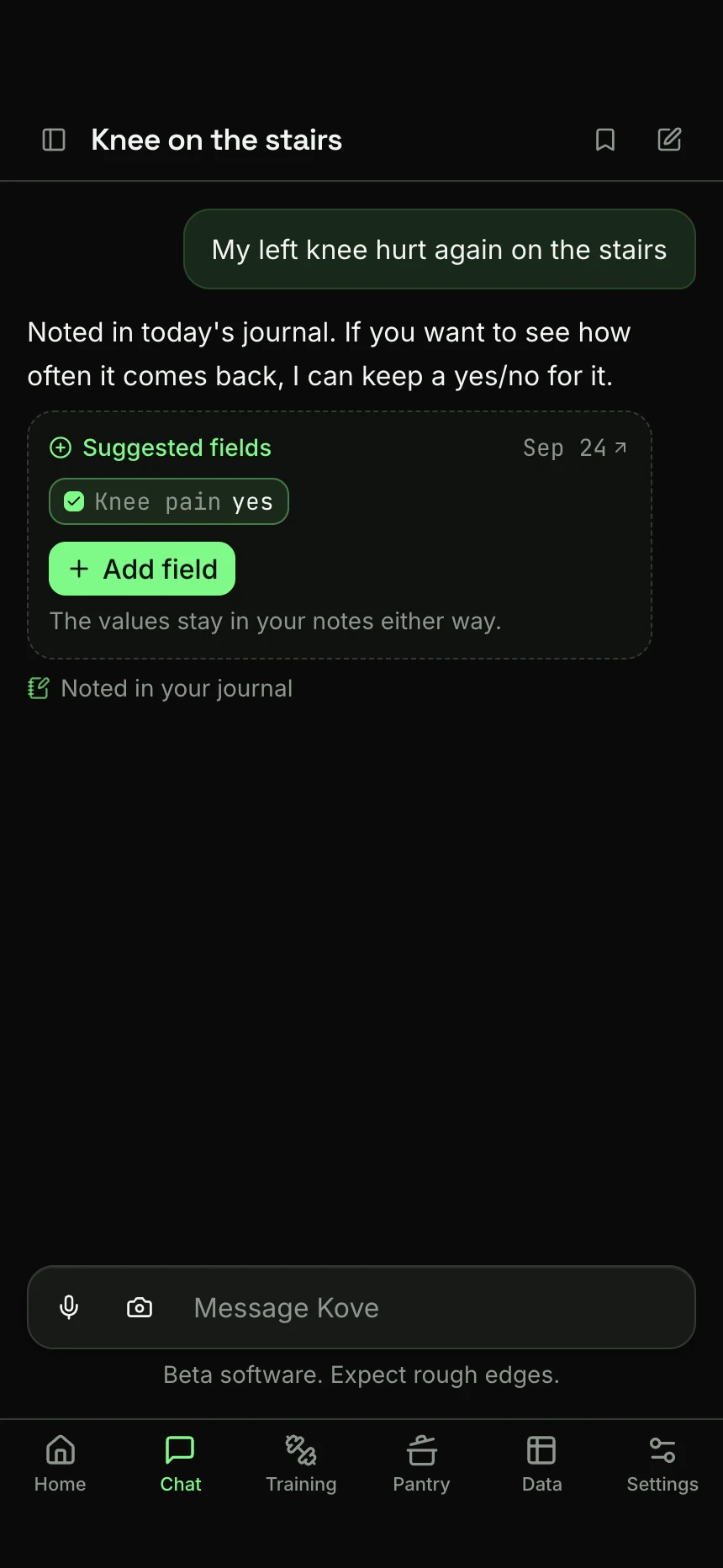
Everyone's health is different, and so is what's worth keeping track of. So Kove doesn't hand you a fixed list of things to track: it builds around yours.
Mention something Kove has no field for, like a sore knee or a headache, and it offers to add one. Anything that doesn't have a field is still kept, written into that day's journal note.
Nothing grades what you write. Kove keeps no streak, hands out no badges and has no opinion about the number you just logged. A day you skipped is an empty row.
Try this:
My left knee hurt again on the stairs today.
Did 15 minutes of meditation before bed. I want to track that too.
At the gym, a set is a tick.
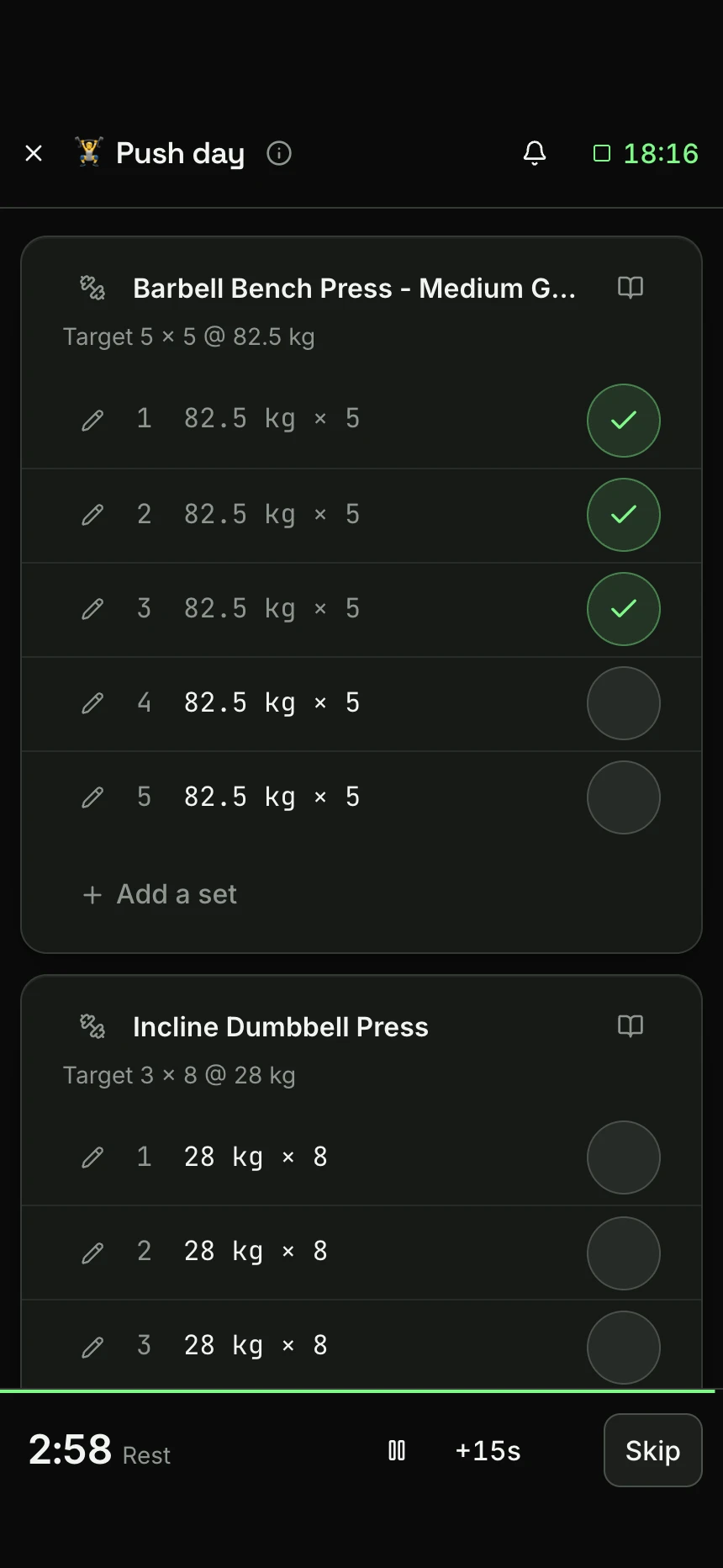
Ask Kove to build a plan for you, send a photo of the one you already follow, or put it together yourself in the app's plan builder.
A plan is targets for each set. At the gym it becomes a checklist you can use one-handed: tick sets as you go, and each tick is saved. The rest timer starts itself, and the clock runs from your first set.
The library holds about 870 exercises, each with instructions, and you can add your own.
Ask your journal a question.
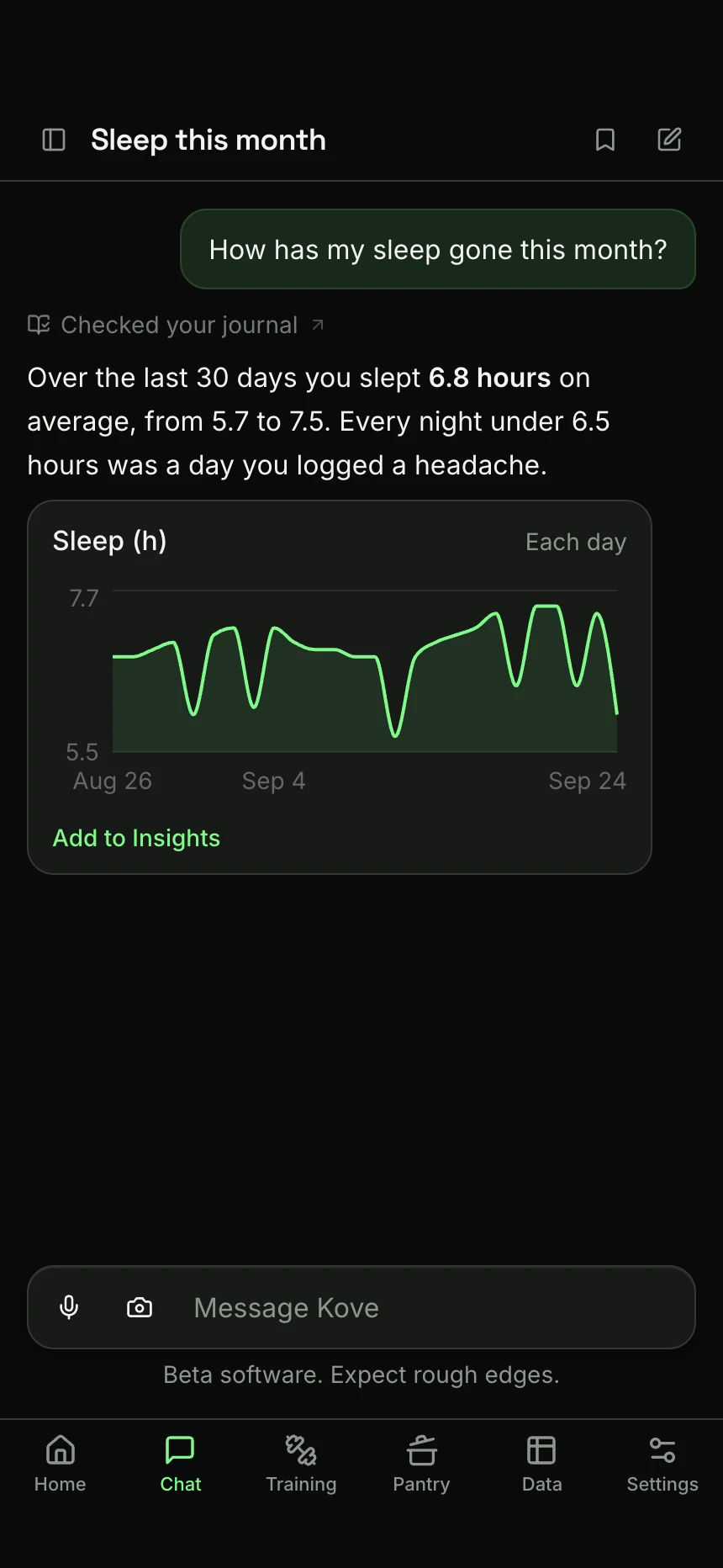
Ask about your own record the way you would ask a person. Kove says which record it read, and draws the answer when a chart says it better than a sentence.
Everything is yours to take away as ordinary files: your days as a spreadsheet, your conversations as text, your pictures as pictures.
See what your days have in common.
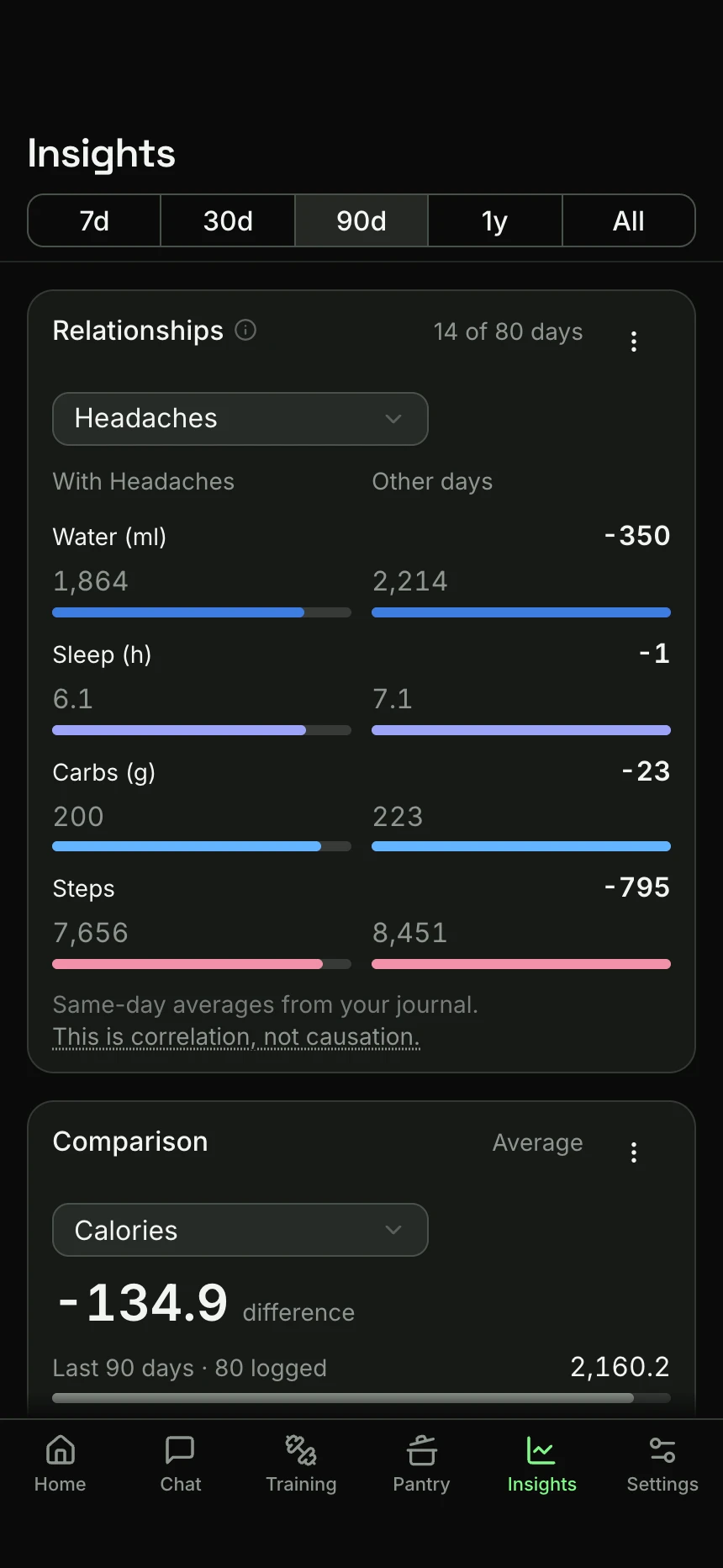
After a couple of weeks, the Insights tab has something to show. It is a page you put together from cards: a trend, a summary, a calendar, or how the days with something differ from the rest.
Tap Look for patterns and Kove reads your whole record for things worth testing, measures each one against your own days, and keeps the facts that hold up. The AI only picks the questions: it never sees your numbers and never works out a figure.
Kove describes what the record shows and stops there. A difference between two groups of days is not a cause, and it will not tell you what is wrong with you.
Want to try Kove?
Kove is in closed beta, open by invite. Everybody gets 30 days free, with no card.
After the trial Kove is 39 € a year.
Early bird: the first 50 to join from this list before launch keep it at 29 € a year, for as long as they stay.
Only an email address is required. How it is handled.